
TABLE OF CONTENTS
Institutional Grants
Institutional Grants can be added to a student’s Enrollment Agreement to reduce the tuition fee charge and for further automatic cost per hour (credit) calculation for each course type.
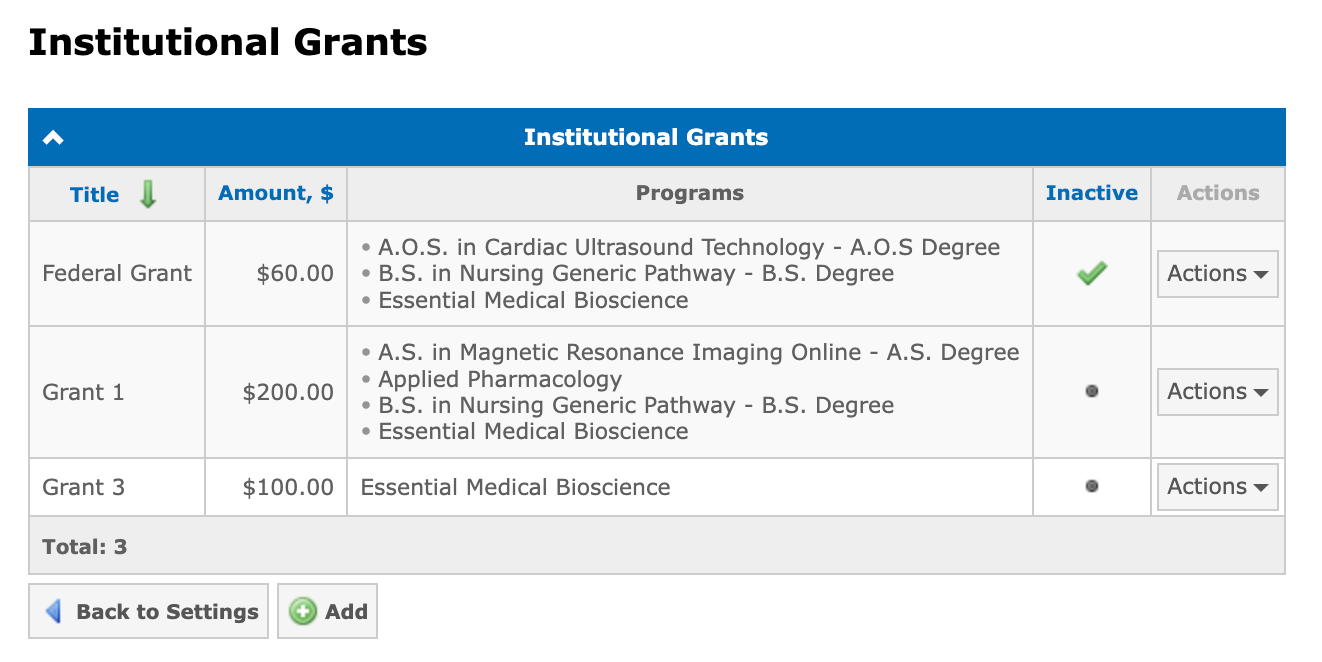
The list of available grants is configured at Financial → Settings → Institutional Grants:
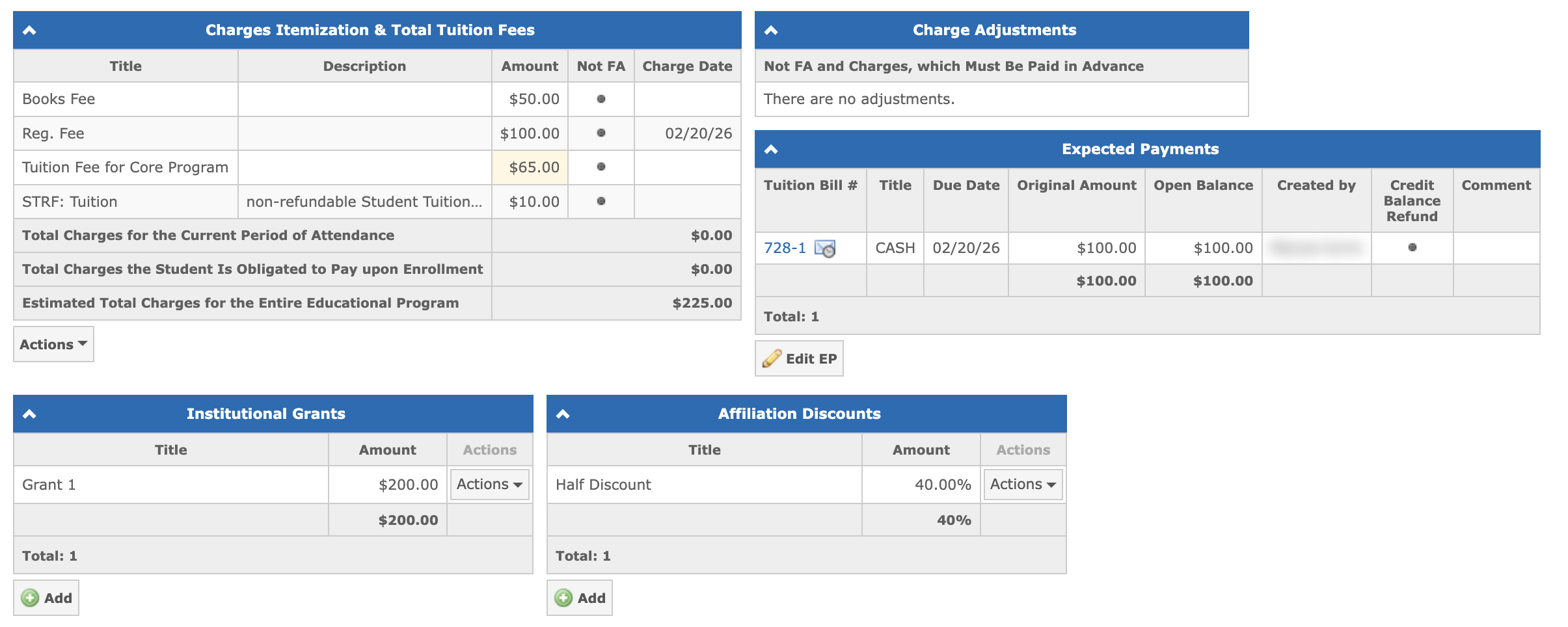
The table with all institutional grants assigned to the student is located in the Enrollment Agreement below the Charges Itemization & Total Tuition Fees panel:
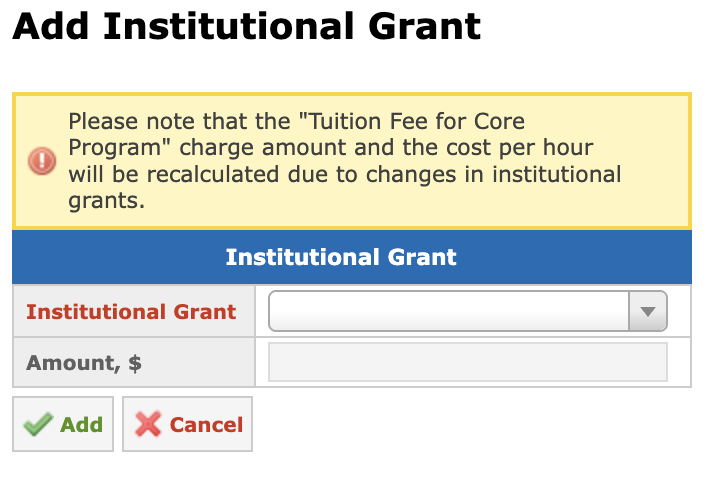
To add a grant, click the Add button below the Institutional Grants panel and select a value from the dropdown list. Only grants assigned to the student’s program are available for selection:
After you add an institutional grant, the Cost per Hour or Cost per Credit values are automatically recalculated for each course type based on the grant amount relative to the total tuition. The final tuition fee scales proportionally with the student’s actual course hours:
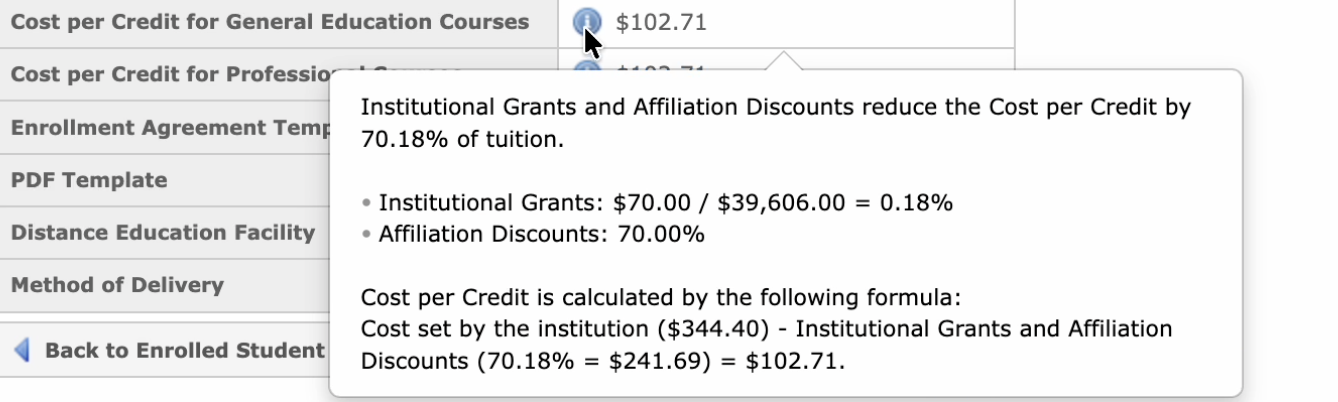
Note: The cost per hour (credit) values will be automatically rounded to two decimal places. Grant amounts are not editable directly in the Enrollment Agreement. If the amount has been updated in the settings after being applied to the EA, a tooltip is displayed next to the grant indicating that the settings value has changed.
Affiliation Discounts
Affiliation Discounts can be added to a student’s Enrollment Agreement to apply a percentage-based discount.
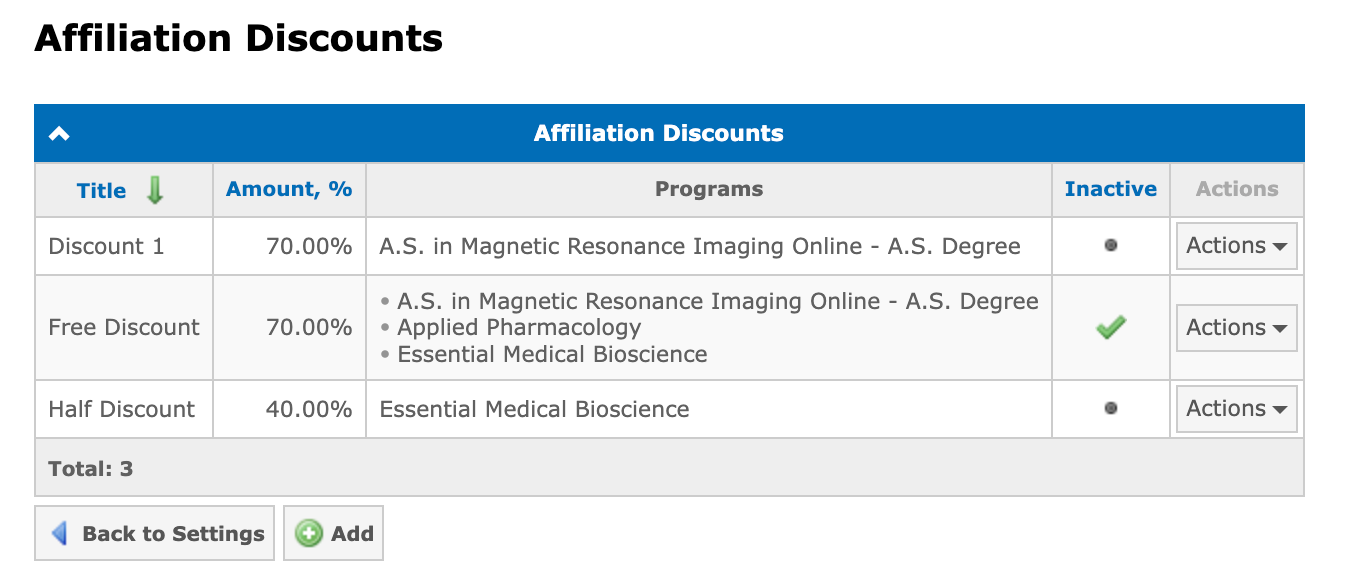
The list of available discounts is configured at Financial → Settings → Affiliation Discounts:
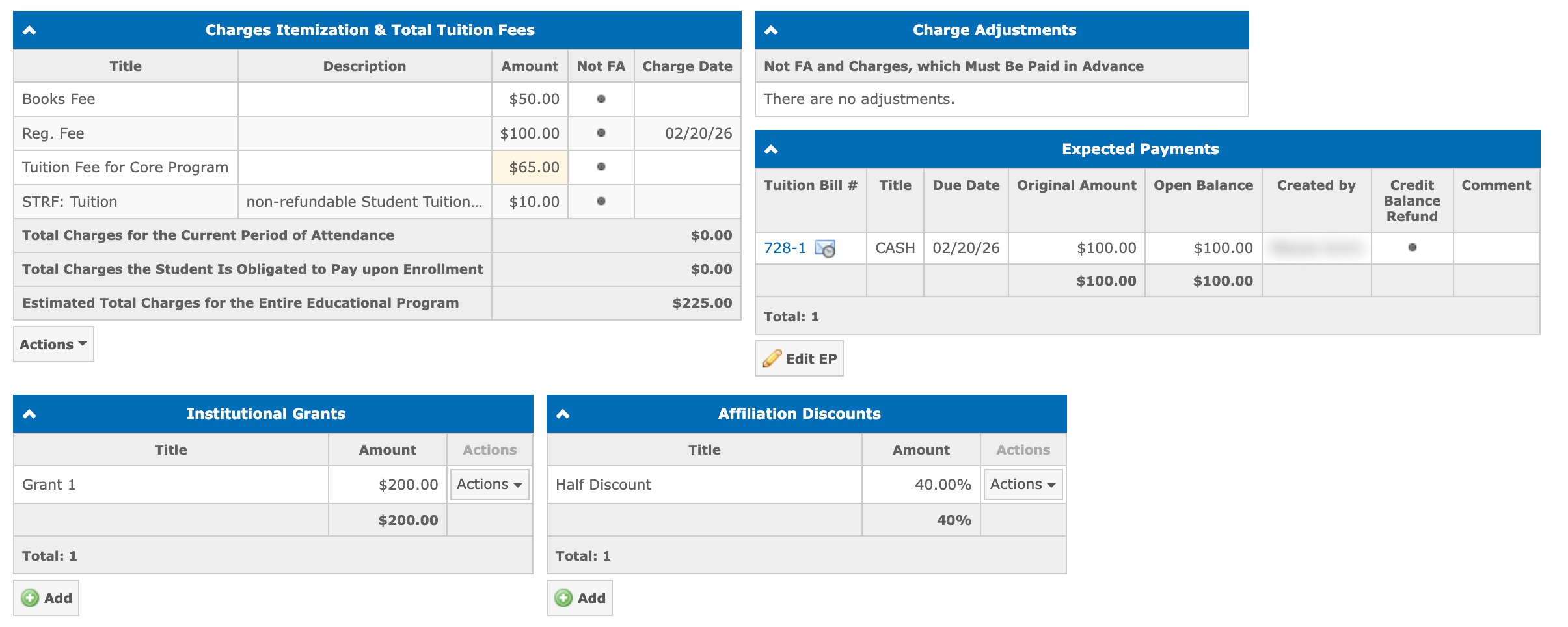
The table with all affiliation discounts assigned to the student is located in the Enrollment Agreement below the Institutional Grants panel:
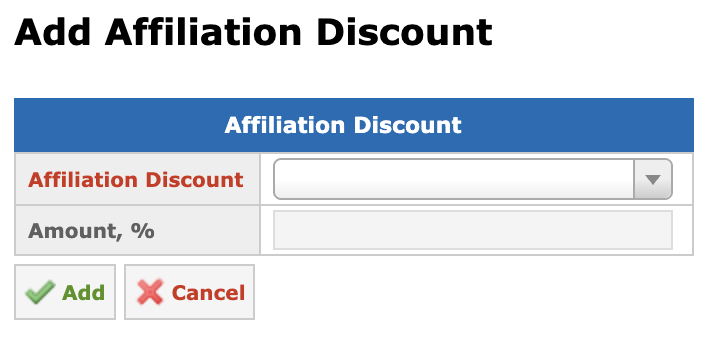
To add a discount, click the Add button below the Affiliation Discounts panel and select a value from the dropdown list. Only discounts assigned to the student’s program are available for selection:
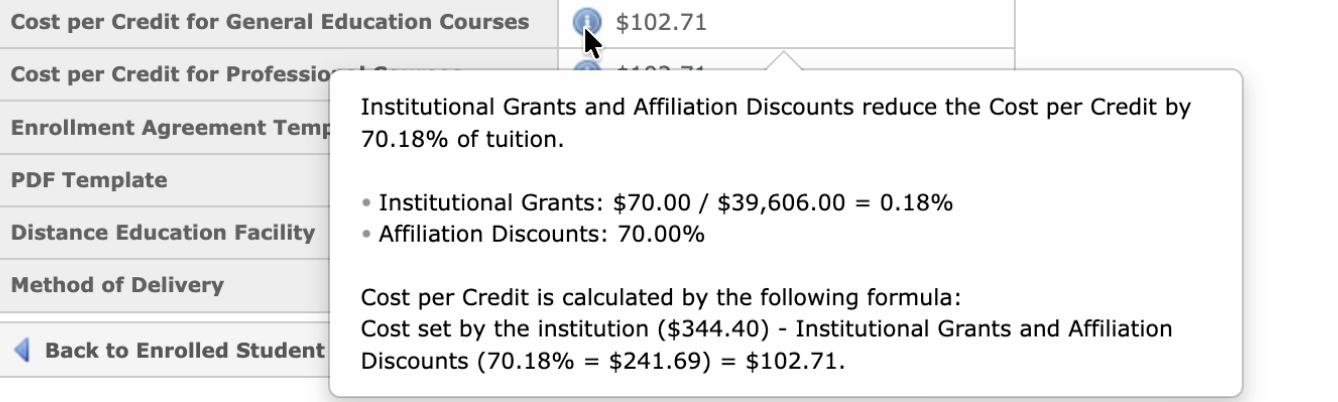
After you add an affiliation discount, the Cost per Hour or Cost per Credit values are automatically recalculated for each course type based on the discount percentage. The final tuition fee scales proportionally with the student’s actual course hours:
Note: Discount amounts are not editable directly in the Enrollment Agreement. If the amount has been updated in the settings after being applied to the EA, a tooltip is displayed next to the discount indicating that the settings value has changed. Inactive grants and discounts are not available for new assignments but remain visible in the Enrollment Agreement for students they have already been applied to.