TABLE OF CONTENTS
A financial aid advisor (FA advisor) is a staff member responsible for assisting students in all aspects of financial aid. The FA advisor helps students understand their eligibility for aid, guides them through the application and documentation process, and ensures compliance with federal and institutional requirements.
Assign Financial Aid Advisor to Student
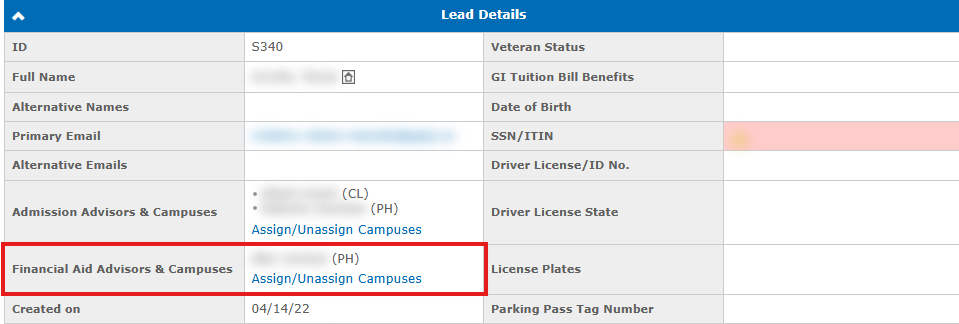
The Financial Aid Advisor & Campuses field is located in the student profile under Leads & Students → Lead → Details, alongside the Admission Advisor & Campuses field. This field allows assigning and tracking the responsible FA advisor for each student.
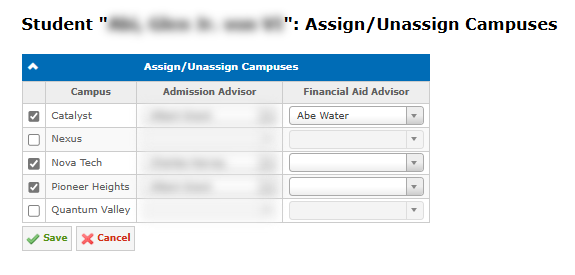
To assign or unassign an FA advisor, use the Assign/Unassign Campuses interface. Once assigned, the FA advisor is displayed on the Financial Details tab, linked to the relevant campus.
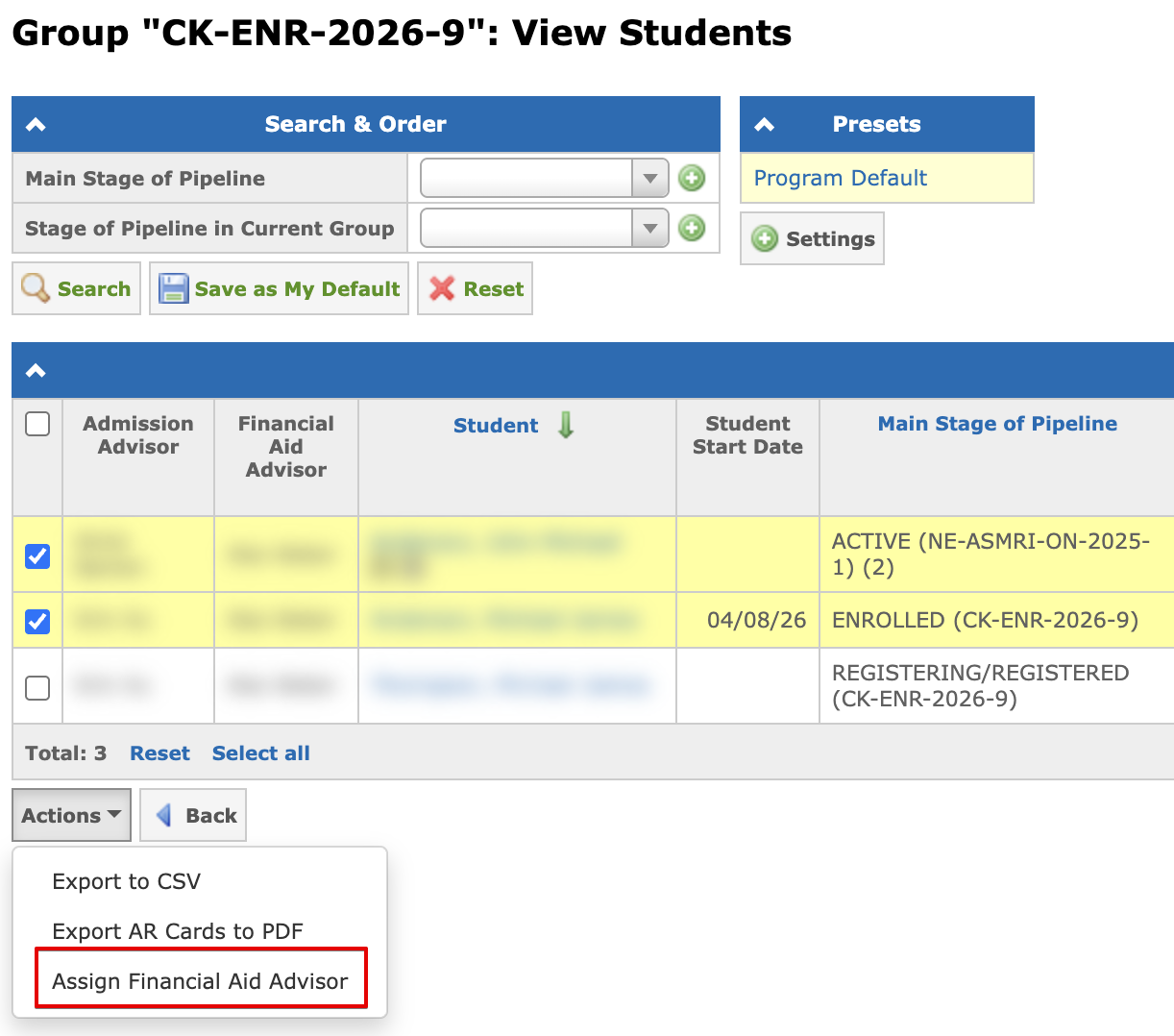
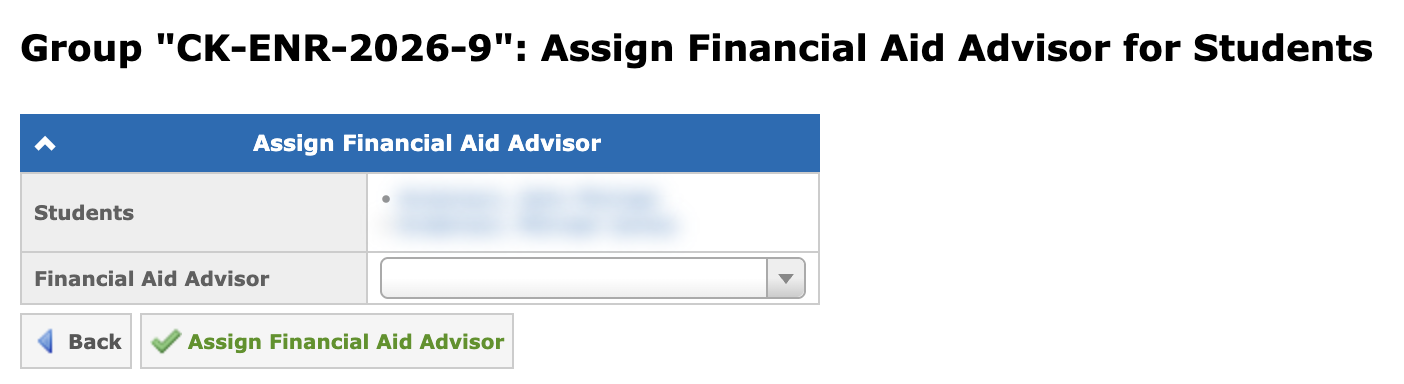
To assign an FA Advisor to multiple students at once, open the Group: View Students page, select the required students using the checkboxes, and click Actions → Assign Financial Aid Advisor.
On the next page, select the advisor from the Financial Aid Advisor dropdown and click Assign Financial Aid Advisor. The dropdown shows only FA advisors who have access to the group’s campus. This action requires the Bulk assign financial aid advisor to students permission.
Financial Aid Advisor in Reports
The FA Advisor field can be filtered and included for presets for the following reports:
- Leads & Students → Leads & Students
- Education → Students
- Financial → Students
- Financial Aid → FA Overview Report
Email Reports for Financial Aid Advisor
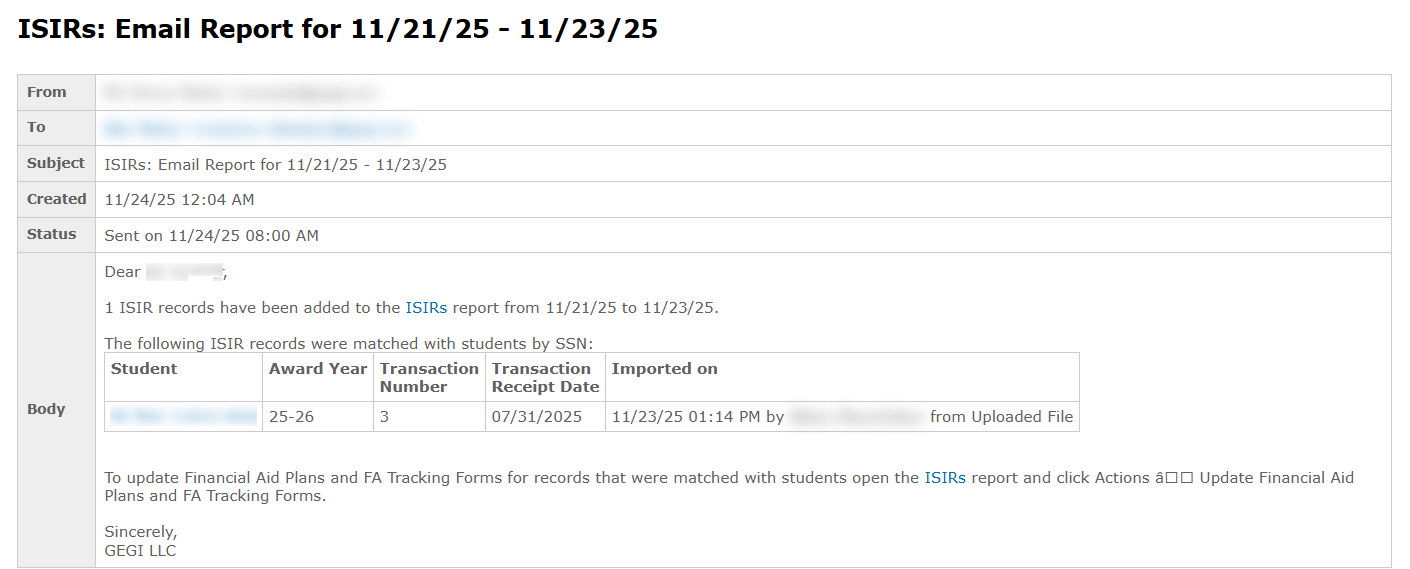
Financial Aid advisors receive a daily notification with the list of newly imported ISIRs for their assigned students: