TABLE OF CONTENTS
The Schedule of Funding report provides a clear overview of all scheduled and disbursed Financial Aid of students, tracking funding status, expected payments, disbursed amounts, campus, and outstanding days.
The report is located in the Financial Aid → Award Reports → Schedule of Funding menu:
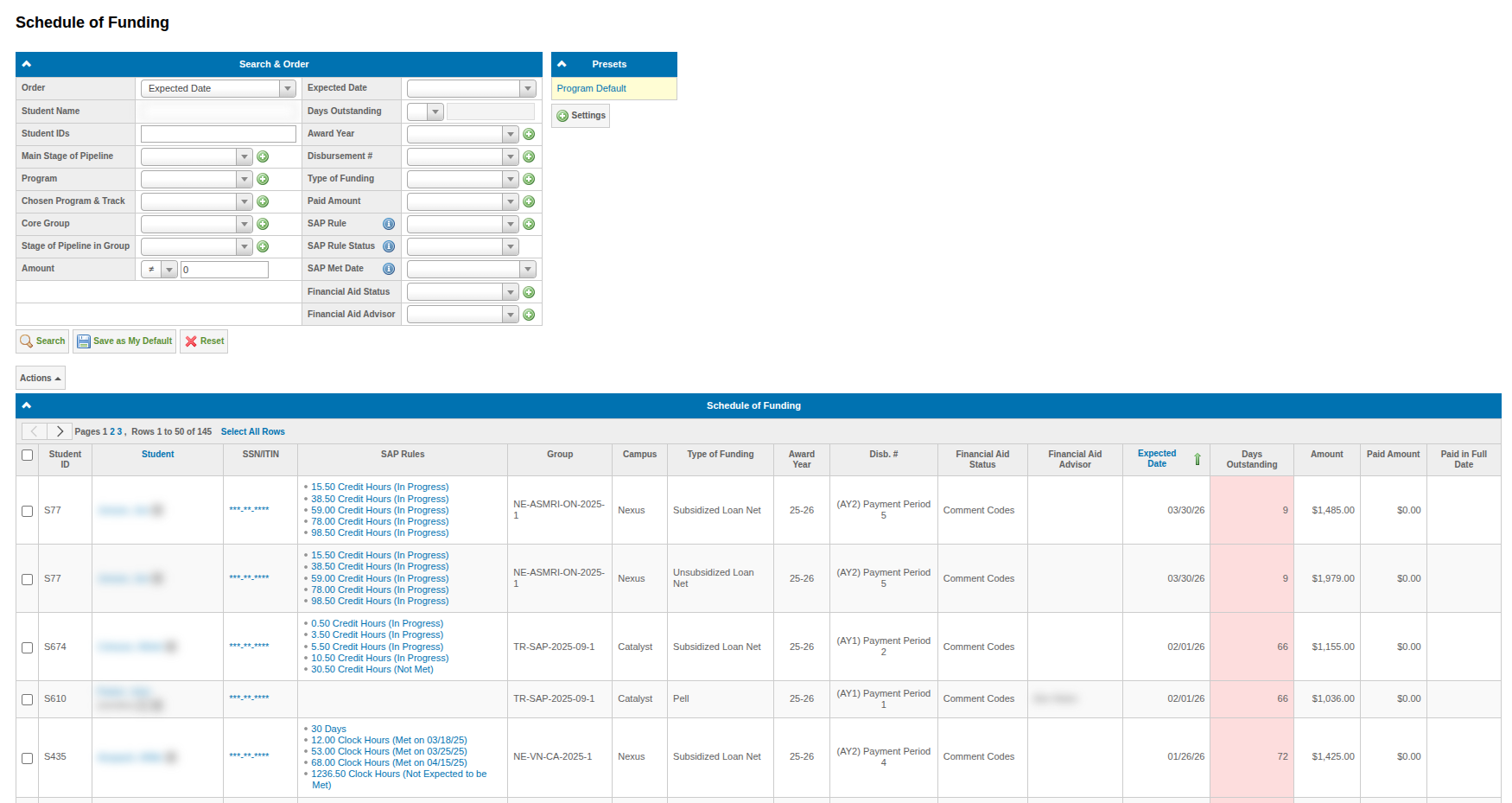
Note: The Days Outstanding column is calculated by subtracting the Expected Date from the current date.
Report Data
The report displays planned awards from the Estimated Payment by Payment Period section of populated FA Plans. For Gross/Net components, the Net amount is used.
Only awards, where the student’s status in the group was ENROLLED or ACTIVE at the time the Expected Date occurred, are included in the report. When a student becomes inactive (for example, DROPPED), their future entries no longer appear in the report.
SAP Rules
The SAP Rules column displays all SAP rules assigned to the student in the group, with their current status and the "Met" date:
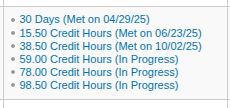
The SAP Rule, SAP Rule Status, and SAP Met Date filters work together:
- SAP Rule filters by the selected rule, regardless of its status.
- SAP Rule Status filters by rule status. When combined with SAP Rule, applies only to that rule’s status; otherwise applies to any rule matching the selected status.
- SAP Met Date filters by the date a rule was met. When combined with SAP Rule, applies only to that rule’s "Met" date; otherwise applies to any rule’s "Met" date. Only rules with the "Met" status are included when this filter is active.
Hover over the info icon next to any SAP filter label for a description of how the filters work:

Was this article helpful?
That’s Great!
Thank you for your feedback
Sorry! We couldn't be helpful
Thank you for your feedback
Feedback sent
We appreciate your effort and will try to fix the article