
TABLE OF CONTENTS
GEGI processes the Financial Aid history response files from SAIG Mailbox and displays the data in the Financial Aid History Requests Report:
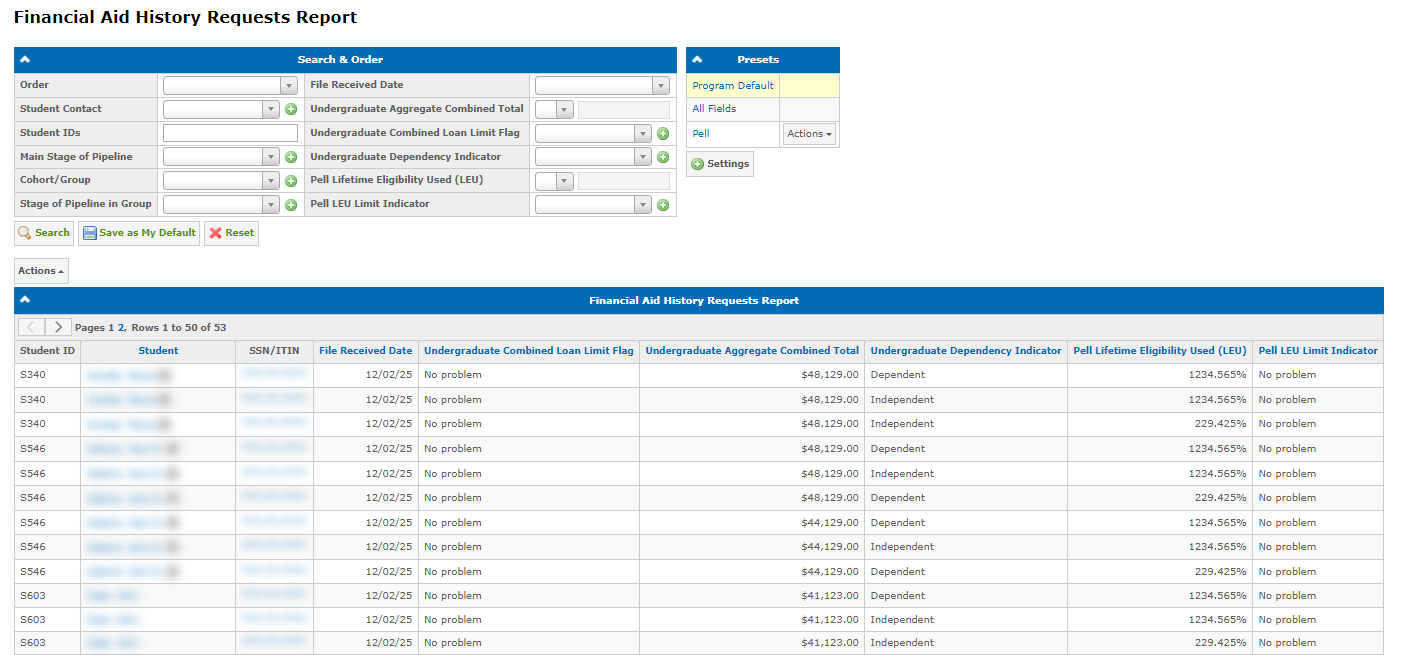
The report is located under Audit Reports → NSLDS and shows all student records from received files. Each row represents a student record from a specific file. New student records appear automatically as GEGI receives the Financial Aid history response files from NSLDS via SAIG Mailbox.
Note: Users require the View "Financial Aid History Requests" report permission to access the report.
Request Financial Aid History from NSLDS
The students’ Financial Aid history can be requested from the ISIRs report using Actions → Request Financial Aid History from NSLDS:
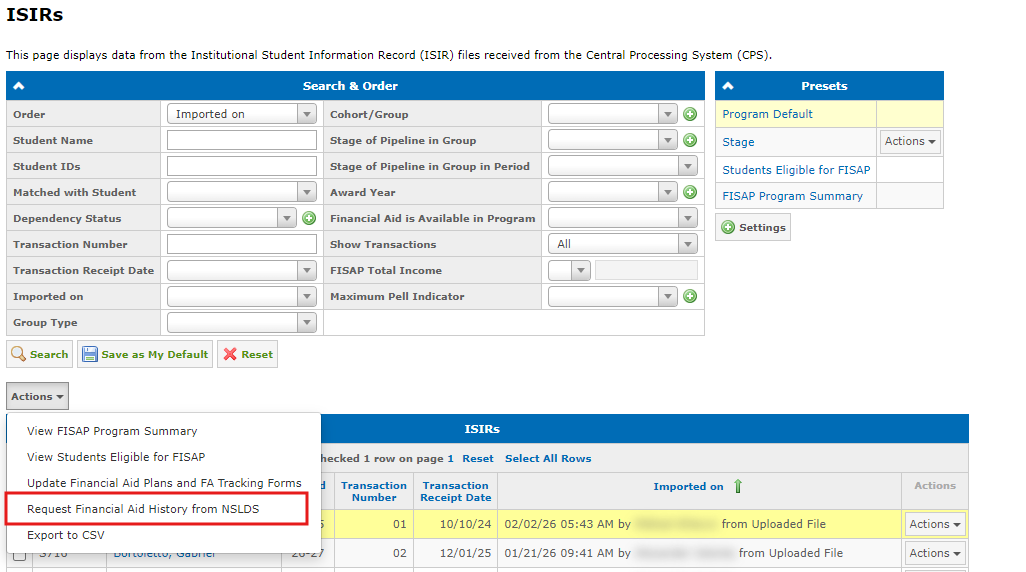
To request the data:
- Select a campus in the campus switcher in the top right. The students for whom the data is requested must be from the same campus.
- Select students using checkboxes (maximum 50 students per request).
- Click Actions → Request Financial Aid History from NSLDS.
Note: Users require the Request Financial Aid History from NSLDS permission to use this action.
GEGI validates that the selected campus has the OPE ID configured, and that students required fields are not empty: SSN, First Name, Last Name, Date of Birth.
When NSLDS responds, results appear in the Financial Aid History Requests Report under Audit Reports → NSLDS.
Error and Warning Notifications
When NSLDS returns errors or warnings for one or more students, GEGI sends an email notification to the user who submitted the request. The email lists the related students and their specific error or warning descriptions.
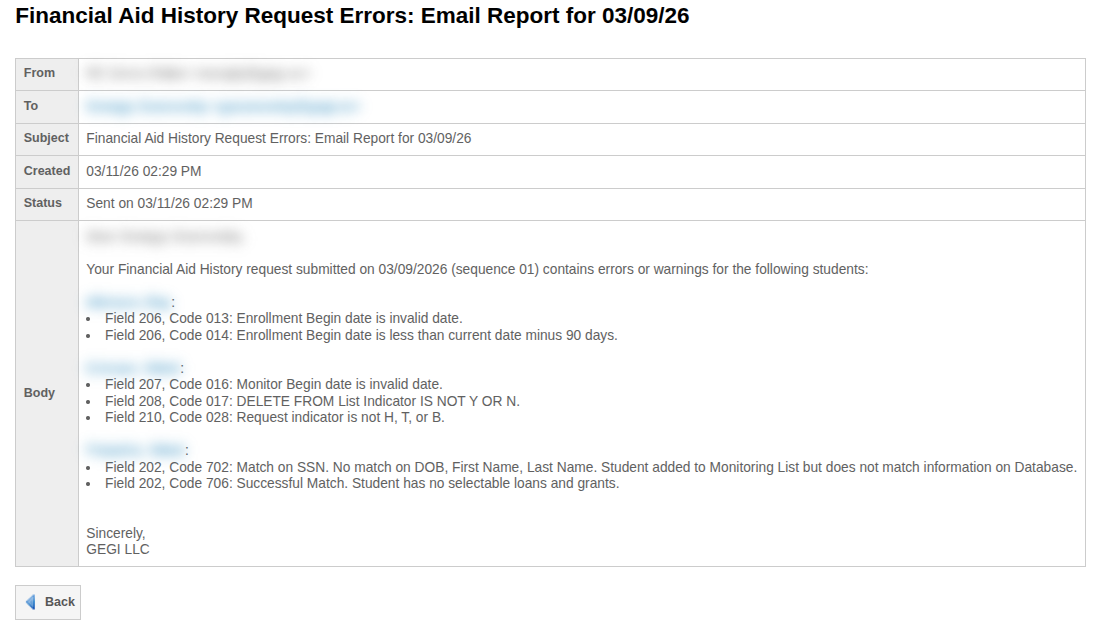
Note: Users require the Receive emails about errors in Financial Aid History requests from NSLDS permission to receive these notifications. No notification is sent if the response contains no errors or warnings.