TABLE OF CONTENTS
FA Overview Report
The FA Overview Report consolidates key financial aid data for all students, grouped by academic year. The report allows for quick search using the Search & Order panel and direct field editing using the pencil icon in cells.
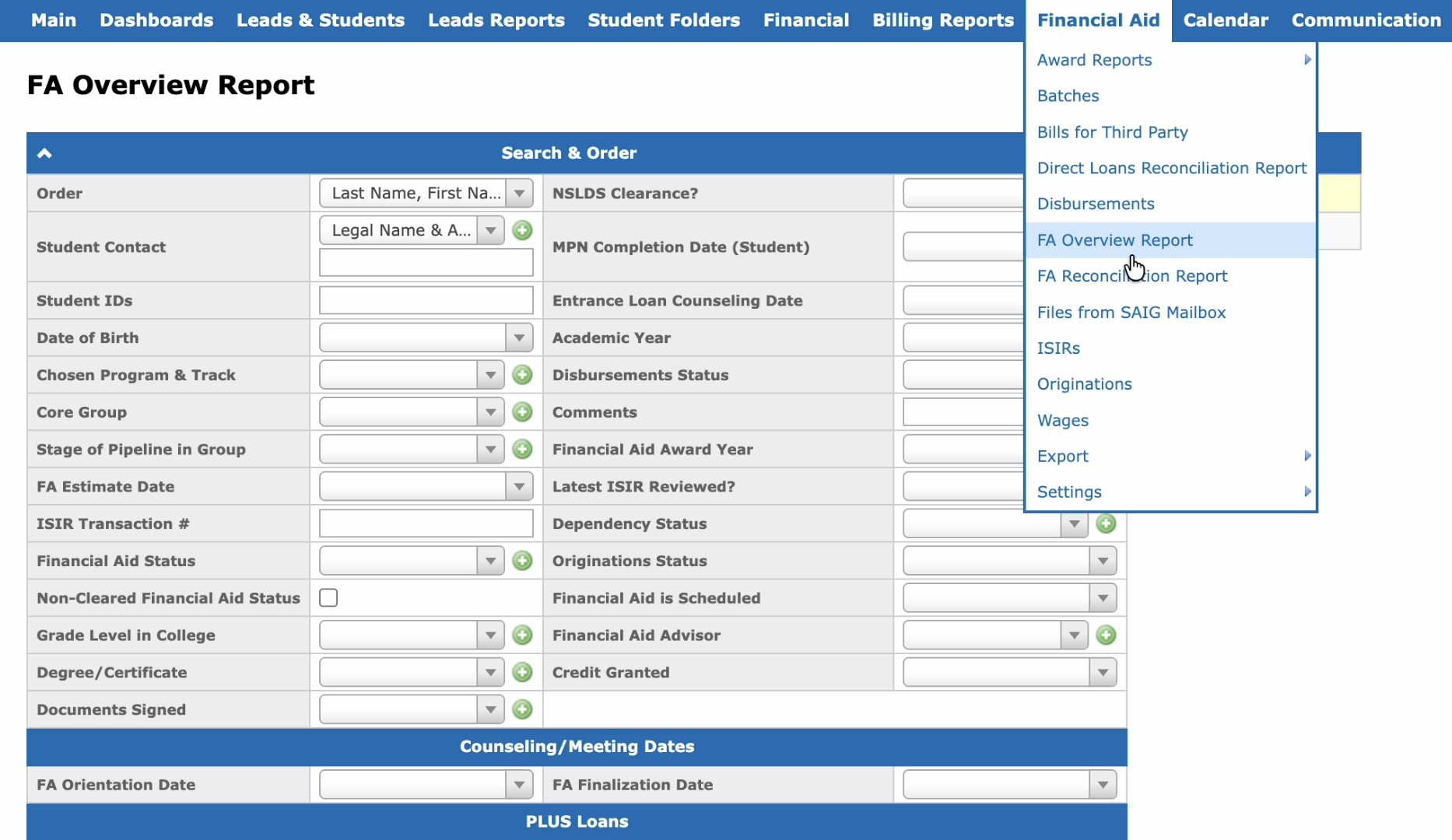
The FA Overview Report is available at Financial Aid → FA Overview Report:
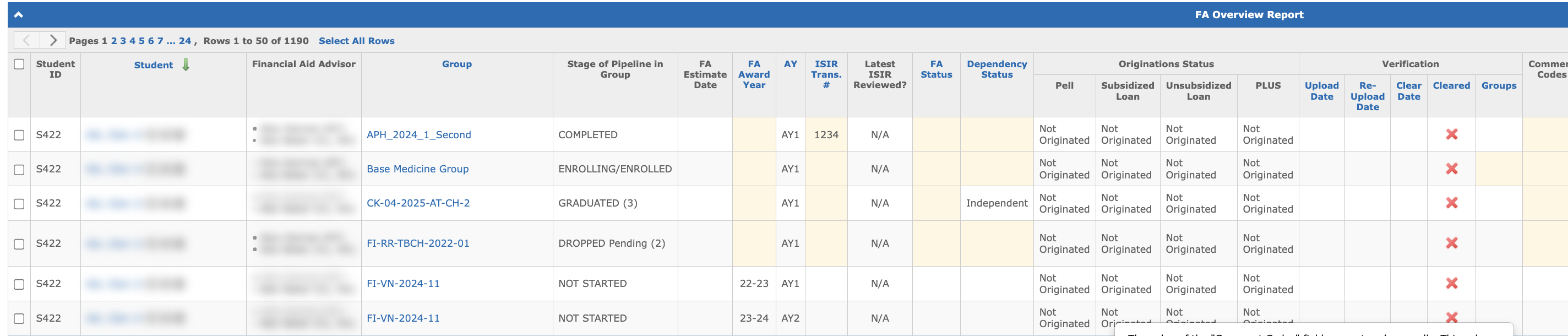
The report includes the following columns:
- Student ID — the student’s ID.
- Student — the student’s name.
- Group — the group the student is enrolled in.
- Stage of Pipeline in Group — the student’s current stage in the group.
- FA Estimate Date — the date the FA estimate was sent.
- FA Award Year — the award year of the FA Plan.
- Academic Year — the academic year.
- ISIR Trans. # — the ISIR transaction number.
- Latest ISIR Reviewed? — indicates whether the latest ISIR transaction for the academic year has been reviewed in the FA Tracking Form. Displays a checkmark (reviewed), a cross (not reviewed), or N/A (no ISIR received or no review record exists).
- FA Status — the student’s financial aid status.
- Dependency Status — the student’s dependency status.
- Comment Codes — the comment codes from the FA Tracking Form.
- Originations Status — the originations status.
- Verification — the verification status.
- EA Modified Date — the date the Enrollment Agreement was last modified.
- EA Populated Date — the date the Enrollment Agreement was populated.
- FA Plan Modified Date — the date the FA Plan was last modified.
- FA Plan Populated Date — the date the FA Plan was populated.
- Credit Granted — indicates whether the student has credit-granted courses (Yes/No).
- Entrance Counseling — indicates whether the student has completed entrance counseling. Displays "Yes" if an accepted "Subsidized/Unsubsidized Entrance Counseling" record exists in the counseling results, "No" if the entrance counseling records exist but none are accepted, or "N/A" if no entrance counseling records exist. The value is the same across all award year rows for a student.
- Master Promissory Note — indicates whether the MPN is signed for the row’s award year. Displays "Yes" if all Direct Loan originations for that award year have the MPN status = "A (Accepted)", "No" — if at least one origination has a different MPN status, or "N/A" if no Direct Loan originations exist for that award year.
- Days Outstanding — the number of days between the EA Populated Date and the FA Plan Populated Date. If the FA Plan has not been populated yet, calculated as today’s date minus the EA Populated Date.
- Comments — the comments from the FA Tracking Form.
- Financial Aid Advisor — the FA Advisor assigned to the student.
- File Clear Deadline — the deadline for clearing the student’s file. Calculated as FA Plan Populated Date + 14 days. If the result exceeds the Group Start Date, the File Clear Deadline is set to the Group Start Date instead. If the FA Plan has not been populated, the field is empty.
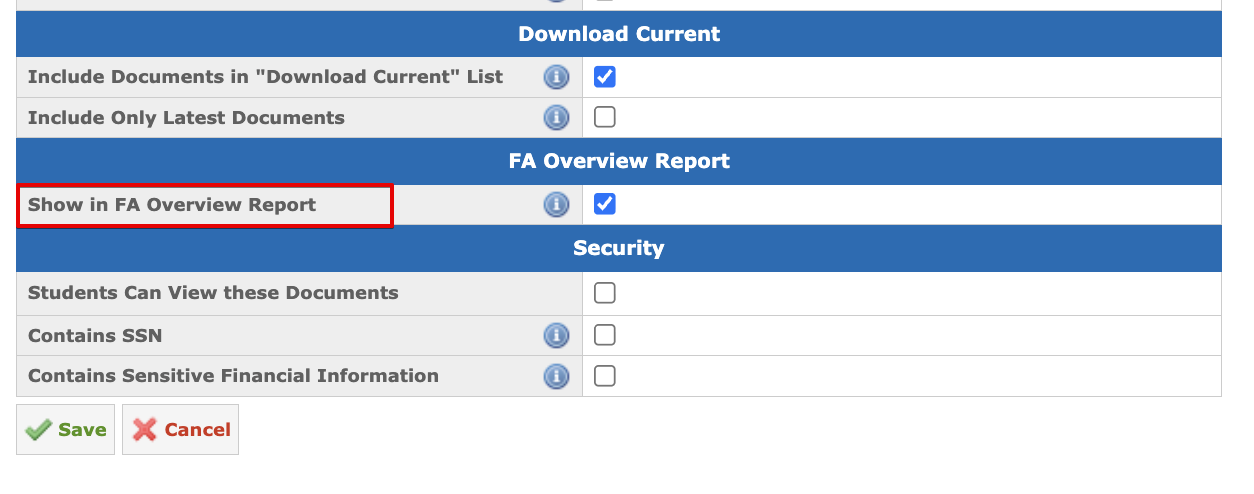
- Document status columns — display Yes or No based on whether the document is signed in Student Folders. The columns are shown for all document types with the Show in FA Overview Report setting enabled.
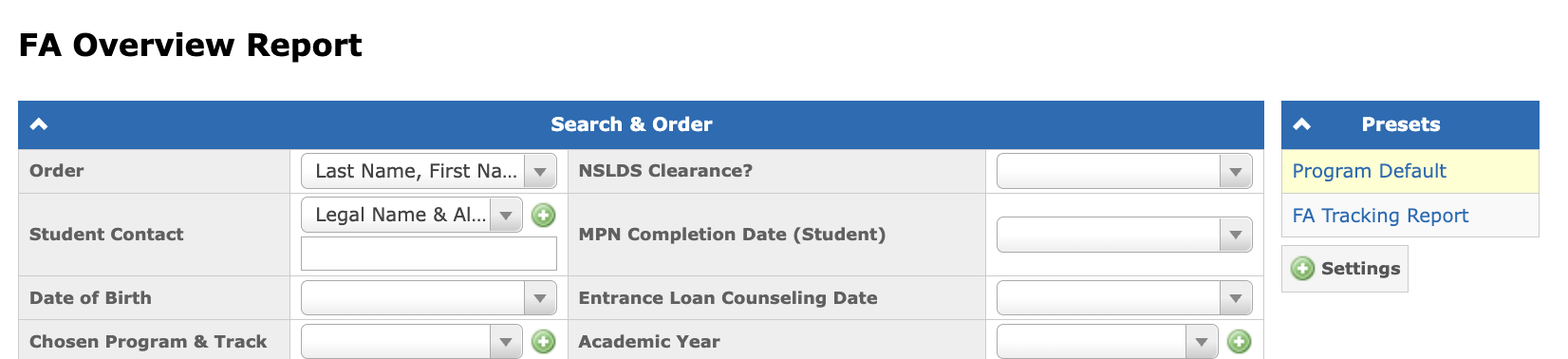
The report has two system presets: Program Default, which contains all columns, and FA Tracking Report, which contains the following columns: "Student ID", "Student", "Group", "Stage of Pipeline in Group", "FA Estimate Date", "FA Award Year", "Academic Year", "ISIR Trans. #", "FA Status", "Dependency Status", "Comment Codes", "Originations Status", and "Verification".
Show in FA Overview Report Setting
The document status columns in the FA Overview Report are controlled by the Show in FA Overview Report setting on the document type. To enable a document type in the report, go to Admin → Student Folders & Templates → Document Types, open the document type, and enable the Show in FA Overview Report setting.