Locations:
- Communication → Communications Report
Users with the following permissions:
- Leads/Students: View Communication Report
Case:
Printing the communication report for the whole cohort consumes too much time because each student report has to be printed separately and then the documents need to be gathered together.
Problem:
How to quickly and conveniently print the communication report for the whole cohort?
Solution:
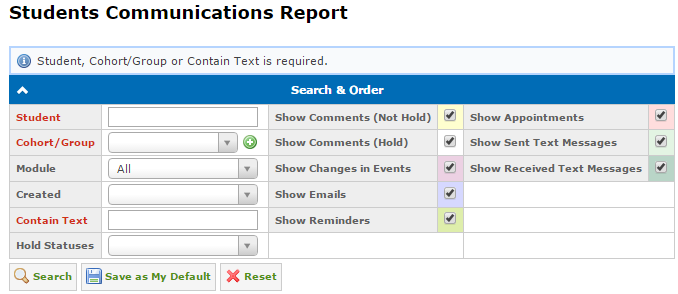
The Cohort/Group search parameter was added to the Search & Order panel.
To get the communication report for single or multiple cohorts at once do the following:
- Select cohorts/groups in the Cohort/Group field.
- Click the Search button:
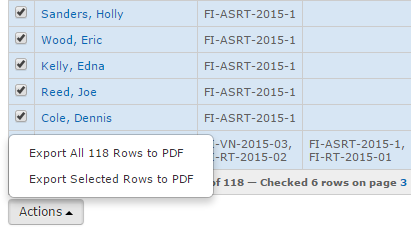
- Select records on the Communications panel.
- Click on the Export Selected Rows to PDF item in the Actions drop-down menu above or below the Communications panel: