
Locations:
- Admin → Charges & Payments → Payments page
- Admin → Email Templates page
- Admin → School Settings page
Users with the following permissions:
Users with the Receive notifications about the sent Electronic Funds Transfer (EFT) notices notification enabled will receive emails about the notifications sent to students:
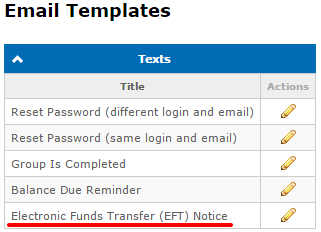
To edit the email template go to Admin → Email Templates page:
- Admin → Financial: Manage Payments
Case:
Employees manually send notifications to all students who receive financial loans.
Problem:
How to automate the process of sending notifications to students?
Solution:
Added automatic notifications that are sent daily at 09:00 AM to all students who have received financial loans on previous day:
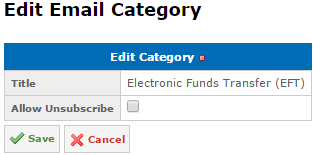
The new "Electronic Funds Transfer (EFT)" email category was added for this notifications. It is a system category and students cannot unsubscribe from it by default, and it can be configured as Allow Unsubscribe on the Admin → Email Categories page:
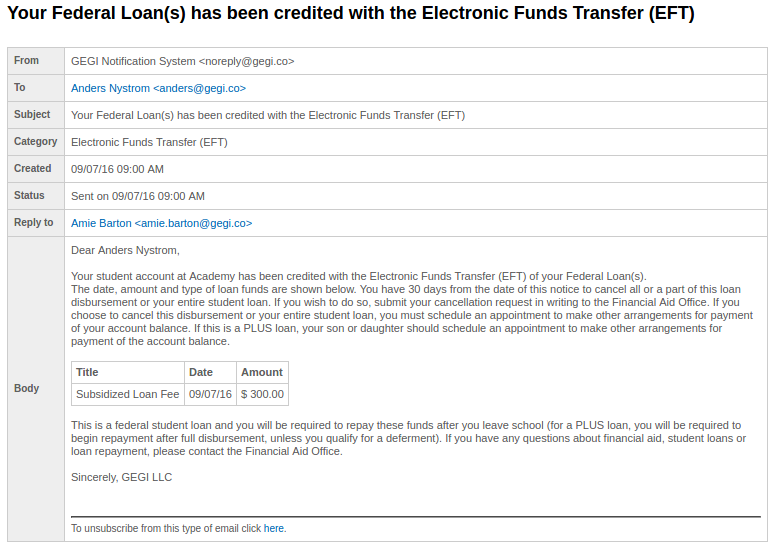
This feature can be enabled/disabled using Send Electronic Funds Transfer (EFT) Notice to students about EFT credited to Awards setting on the Admin → School Settings page:

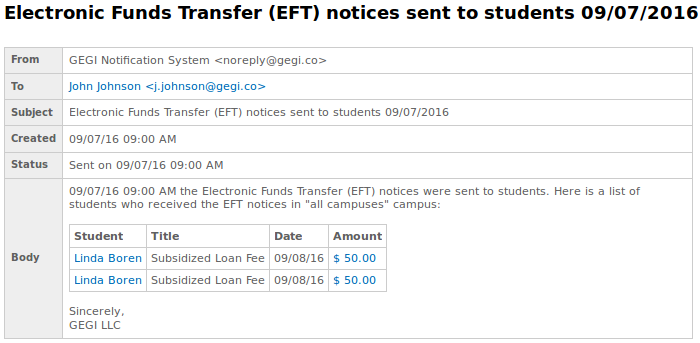
Notifications about payments with enabled Include this Award in the Electronic Funds Transfer (EFT) Notice setting will also be sent. This can be configured on the Admin → Charges & Payments → Payments page:

To edit the email template go to Admin → Email Templates page:
Available since GEGI v4.7.0 (view release notes)