TABLE OF CONTENTS
- Overview
- Latest ISIR Reviewed
- Resolution Required Comment Codes
- Credit Balance Authorization
- FA Tracking Report
Overview
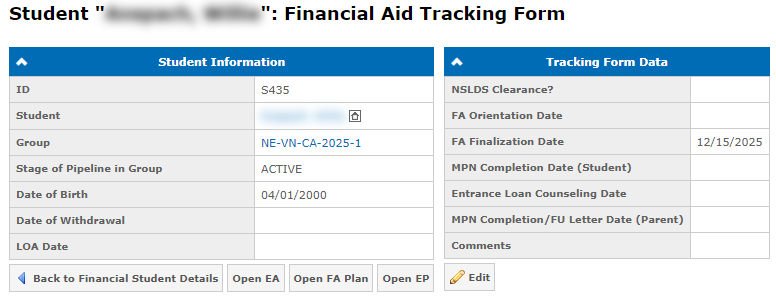
The FA Tracking Form contains data used to determine whether a student is ready to receive Financial Aid. The form is accessible from the student's FA Plan. You can switch between the Enrollment Agreement, FA Plan, and FA Tracking Form using the buttons at the top of the page:
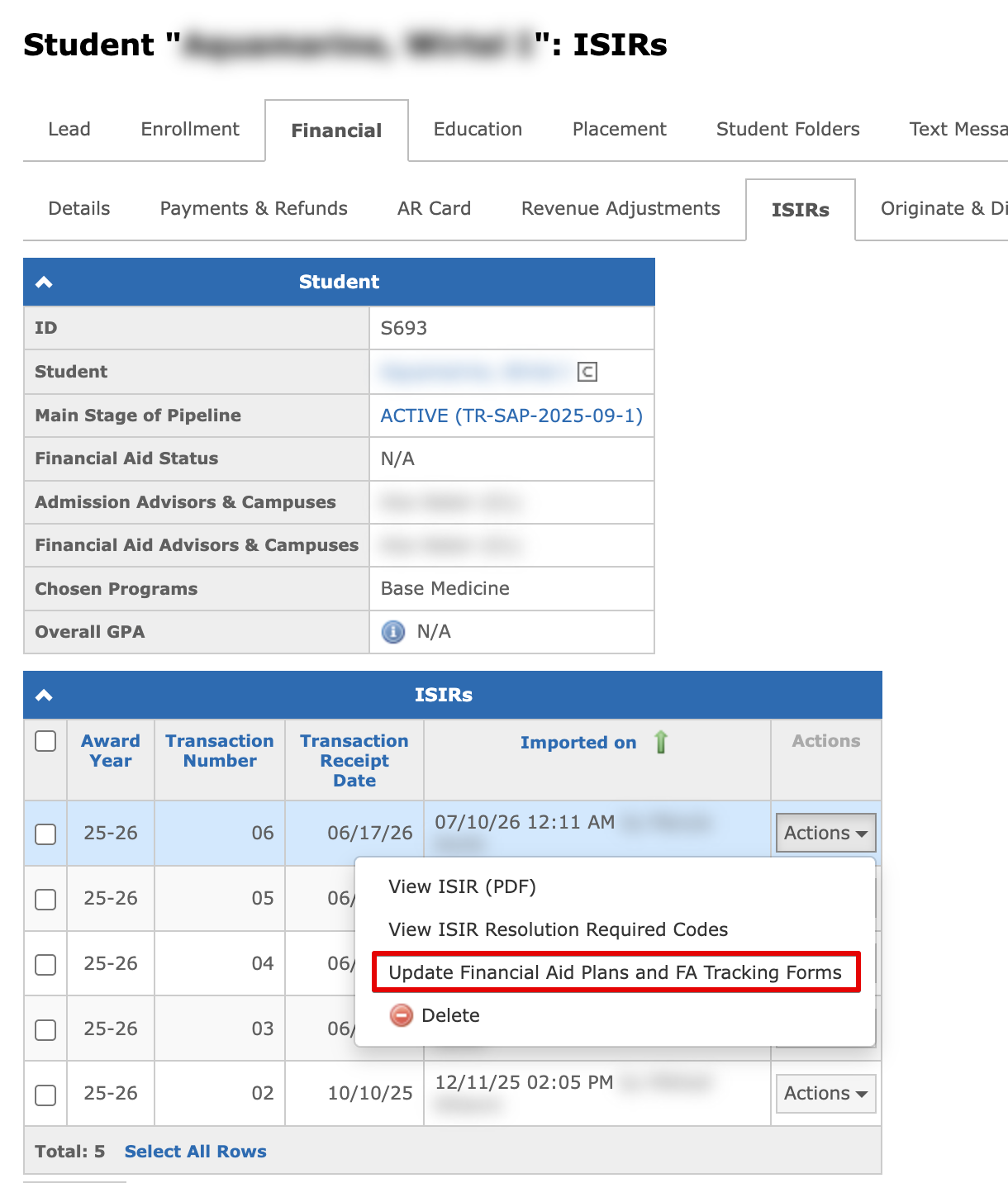
Information in the FA Tracking Form can be filled in manually or using student's ISIR from Student "Name": ISIRs page:
Latest ISIR Reviewed
The Latest ISIR Reviewed? field is displayed in the FA Tracking Form for each academic year. When a new ISIR transaction arrives for the student, the field automatically resets to a cross, indicating that the latest ISIR has not been reviewed. If any field has a cross, users will be restricted from populating the FA Plan. The field is available to users with the Review ISIRs permission:
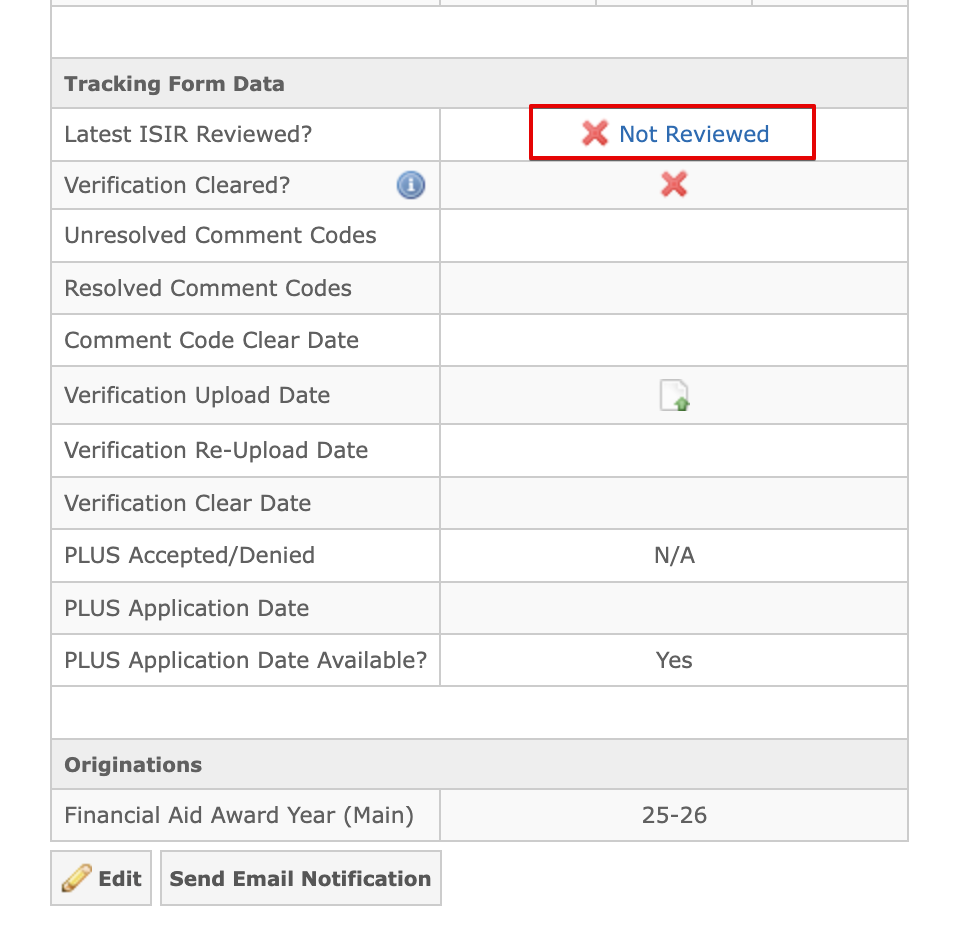
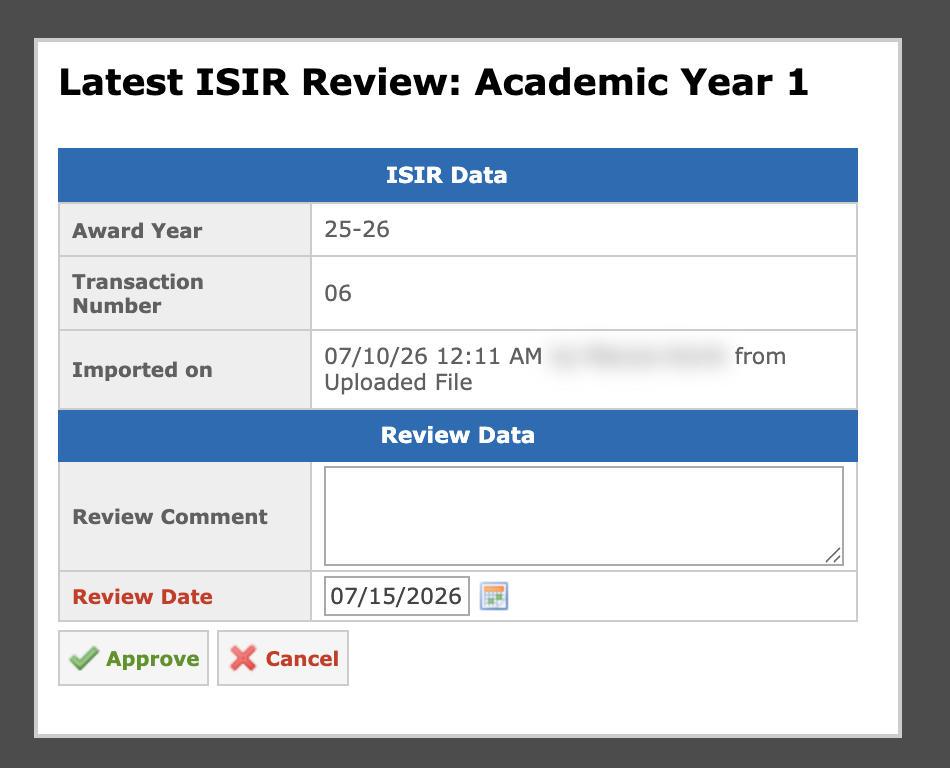
Click the cross to review the latest ISIR. You will see a panel where you can confirm the review and leave an optional comment. Click Approve and the field will change to a checkmark:
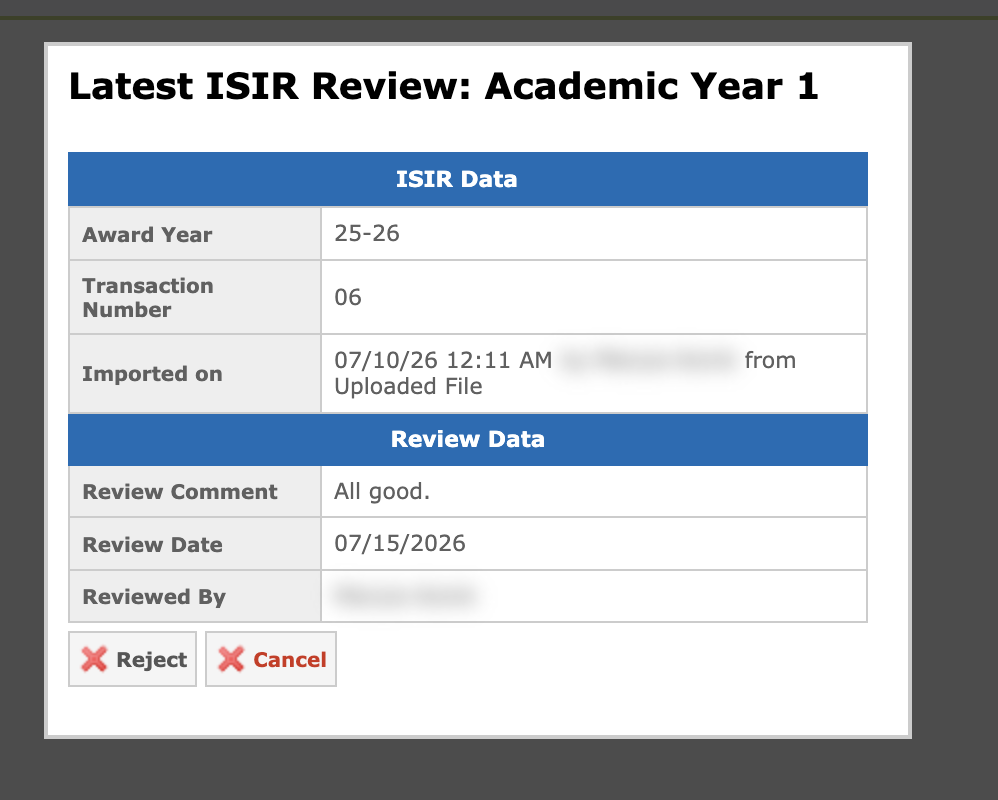
Clicking a checkmark displays the details of the latest reviewed ISIR, including the award year, transaction number, the user who completed the review, the review date, and the review comment:
Resolution Required Comment Codes
Resolution Required Codes are a subset of Comment Codes. A Resolution Required comment code on an ISIR indicates the student has an eligibility problem that must be resolved before federal aid can be disbursed. To avoid errors, in GEGI, if the Resolution Required code remains unresolved on the FA Tracking Form, users will be restricted from populating the FA Plan.
Adding Resolution Required Comment Codes
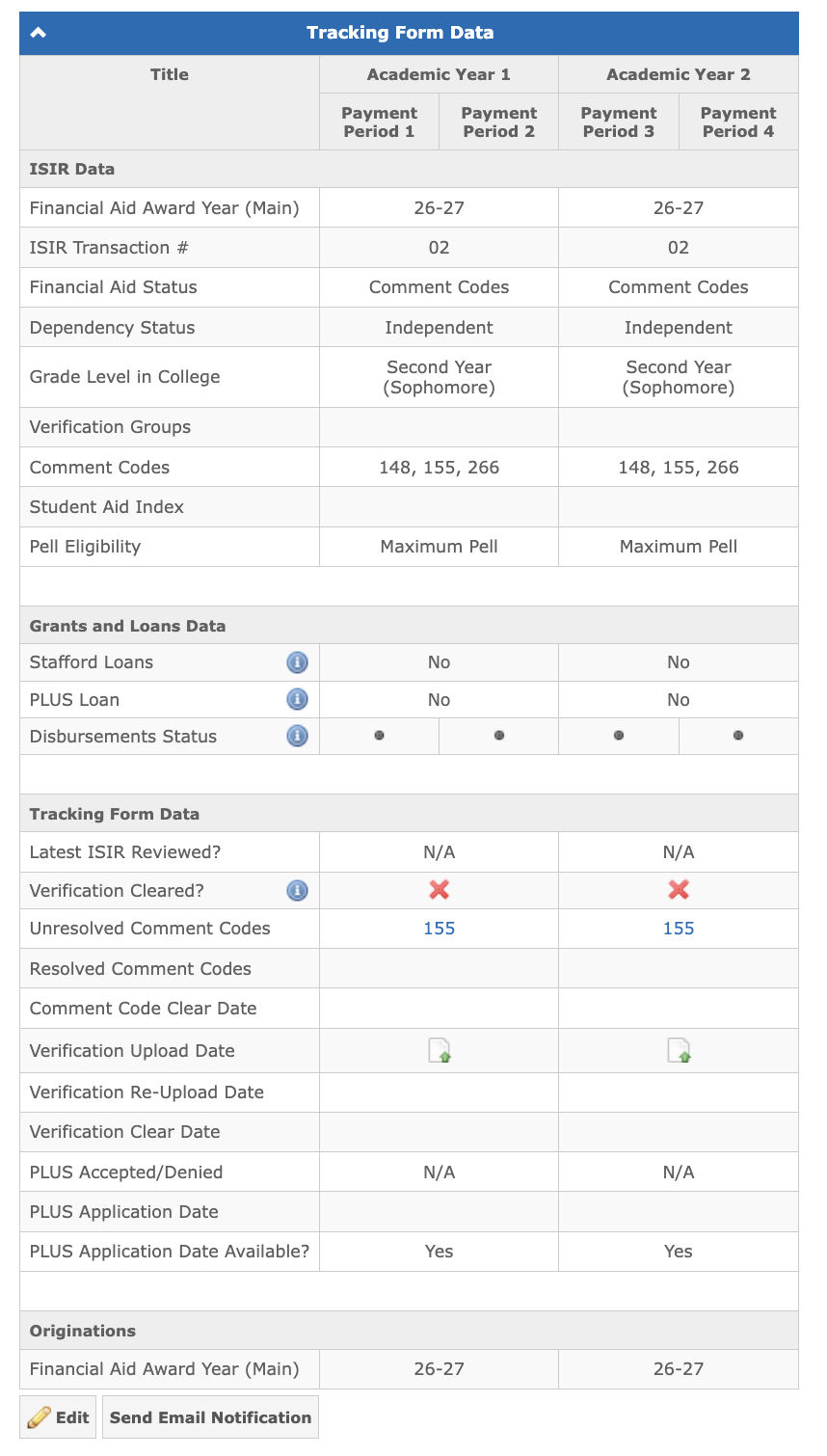
The Unresolved Comment Codes field in the FA Tracking Form is filled out according to the Comment Codes field. If these codes have blocking ones, they will be shown in Unresolved Comment Codes:
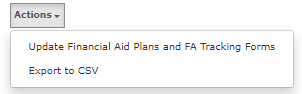
The Comment Codes field can be updated from ISIR or manually using the Actions on the Student "Name": Financial → ISIRs page:
How to Resolve Resolution Required Comment Codes?
Click a comment code in the Unresolved Comment Codes to start resolving it. You will see a panel where you can enter a comment and the resolve date for the comment code, and also view its description and needed actions:
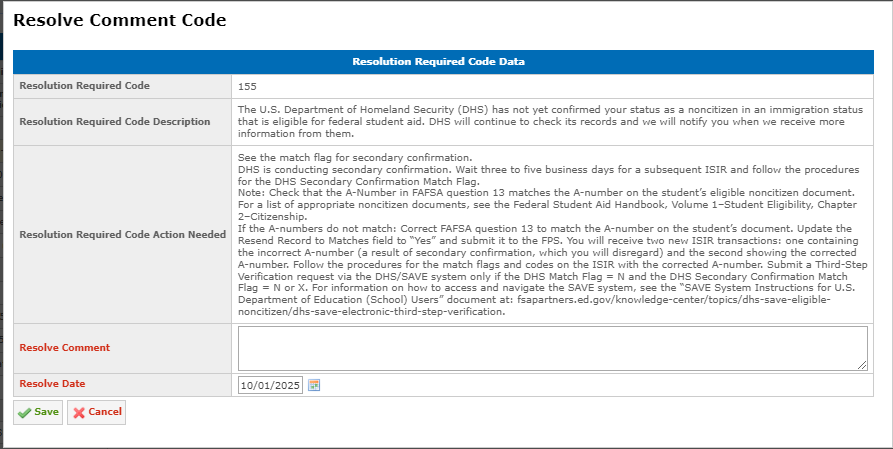
Click Save and the comment code will be moved to Resolved Comment Codes:

Note: Resolution Required comment codes should be resolved for each academic year even if the comment codes are within one award year.
Clicking a comment code in the Resolved Comment Codes field will bring up a panel with the information entered during resolving it, including the user who resolved it:
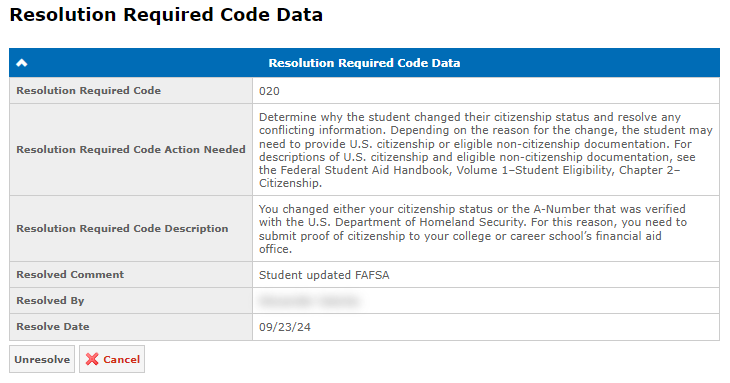
When all comment codes are resolved in an academic year, GEGI automatically sets the Comment Code Clear Date to the date when the last comment code was resolved.
Note: After a new ISIR transaction, the system checks for blocking codes again. If the system finds a previously resolved code, it will be marked unresolved, because a student should not receive resolved codes in their ISIR.
How to Unresolve Resolution Required Comment Codes?
If you need to move the resolution required code back to the unresolved state, click on the code in the Resolved Comment Codes field to open the Resolution Required Code Data panel, then click the Unresolve button.
The code moves back to Unresolved Comment Codes but the resolution comment and date are preserved.
ISIR Resolution Required Codes
You can view Resolution Required comment codes for a specific ISIR transaction on the Student "Name": ISIRs page using View ISIR Resolution Required Codes in the Actions drop-down menu in the corresponding transaction row:
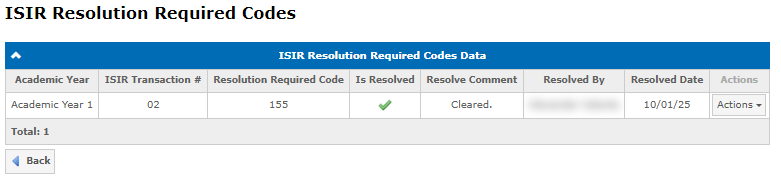
Credit Balance Authorization
The Credit Balance Authorization panel in the FA Tracking Form allows tracking Title IV authorization choices without manual documents review:
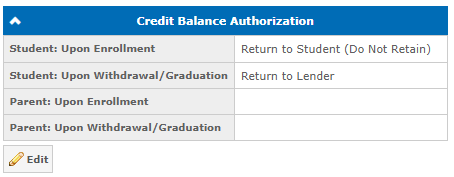
The fields can be populated automatically when a student signs an e-sign document configured with field mappings. See Populate Student Data from E-Sign for setup instructions.
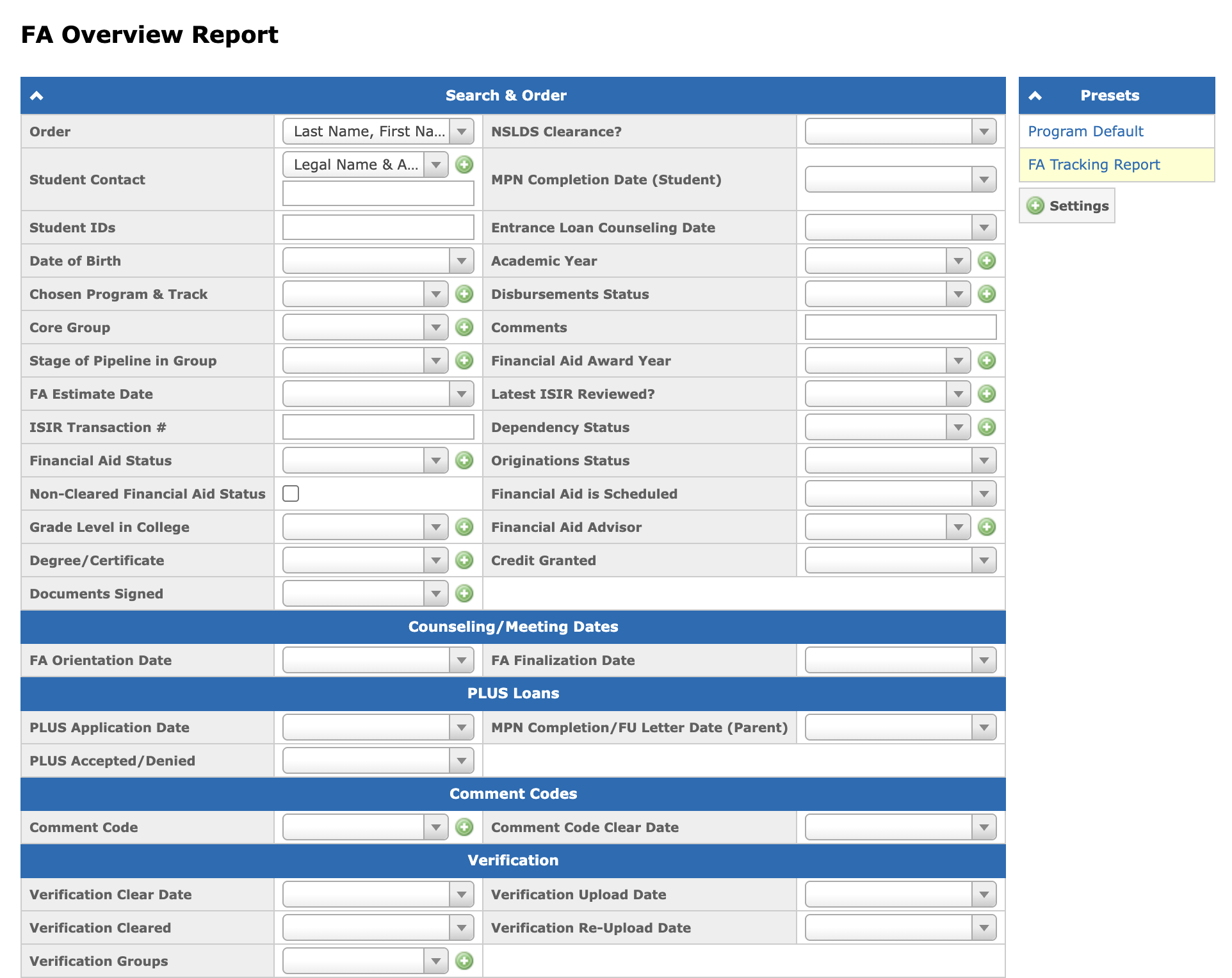
FA Tracking Report
The FA Tracking Report is a system preset in the FA Overview Report. The preset contains the original FA Tracking Report columns. For more information, see FA Overview Report: