Locations:
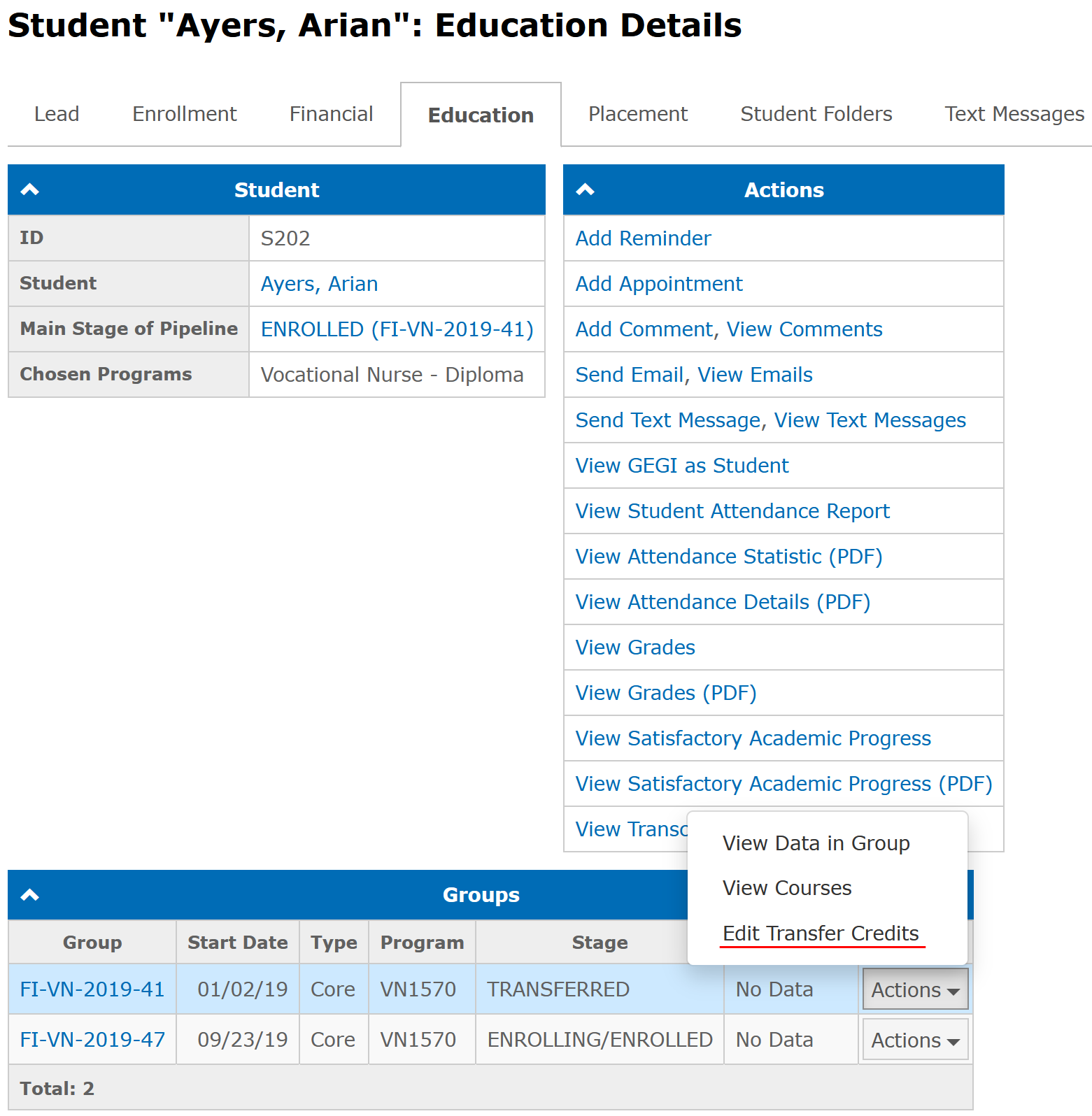
- Student "Name": Education Details
Users with the following permissions:
- Education → Grading
- Education → Clinical Grading
Case:
Contact Hours for Transfer Credits are entered in a program and are shown in a student's profile and Enrollment Agreement.
Problem:
It is impossible to enter 0 for Contact Hours when editing Transfer Credits in Enrollment Agreement.
Solution:
It is now allowed to enter 0 for Contact Hours in Transfer Credits. The Education Place field is now allowed to be empty as well.
You can edit Transfer Credits by going to the Education tab in a student profile and then selecting the Edit Transfer Credits item in the Actions drop-down menu in the corresponding group row at the Groups panel:
Available since GEGI v4.19.0 (view release notes)
Was this article helpful?
That’s Great!
Thank you for your feedback
Sorry! We couldn't be helpful
Thank you for your feedback
Feedback sent
We appreciate your effort and will try to fix the article