Locations:
- Placement → Placement Records
- Admin → Lists (Departments, ...) → Placement Companies
- Student "Name": Placement Details
Users with the following permissions:
- Placement → View Placement Report
- Placement → Edit Placements Records
- Placement Companies → Edit
- Placement Companies → View
Case:
Polls need to be sent to employers.
Problem:
The Placement Records report has no employer emails and no ability to add them.
Solution:
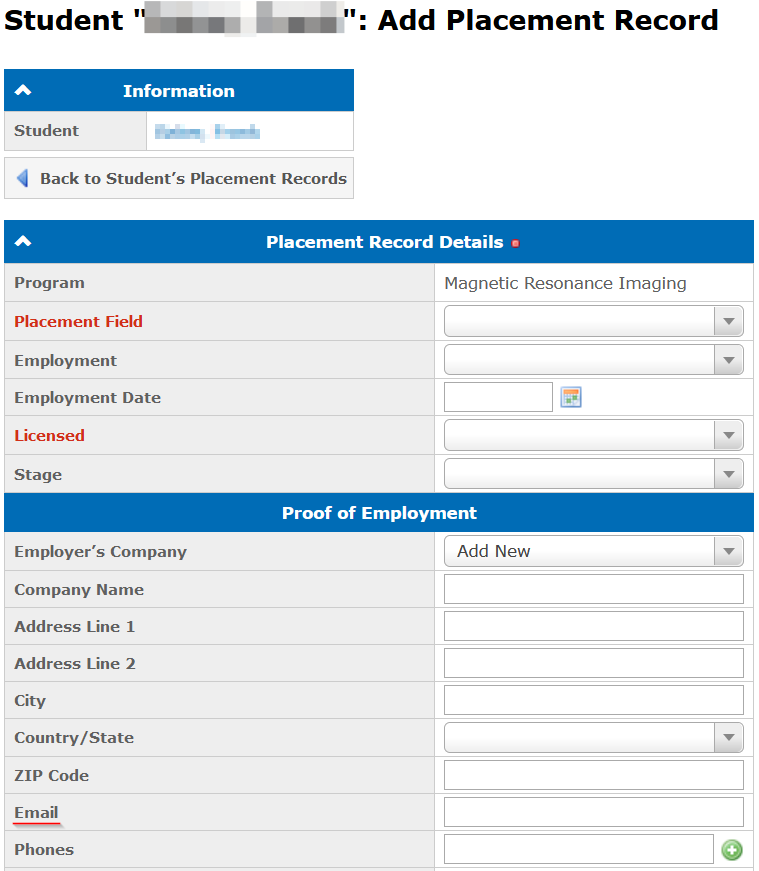
Added the Email field on the Add Placement Record page. The field can be filled when creating or editing a company:
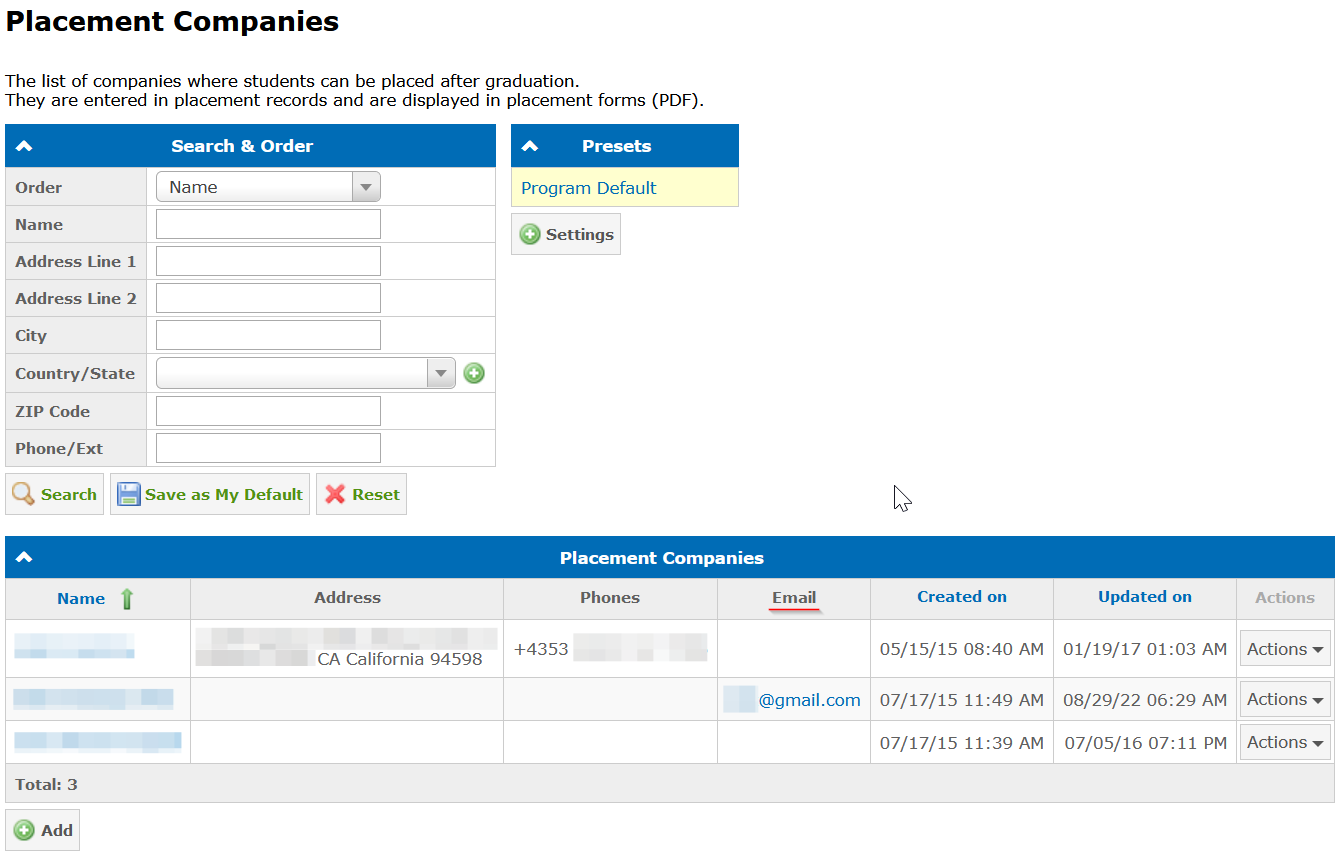
The email of the employer’s company is shown in the Placement Companies catalog:
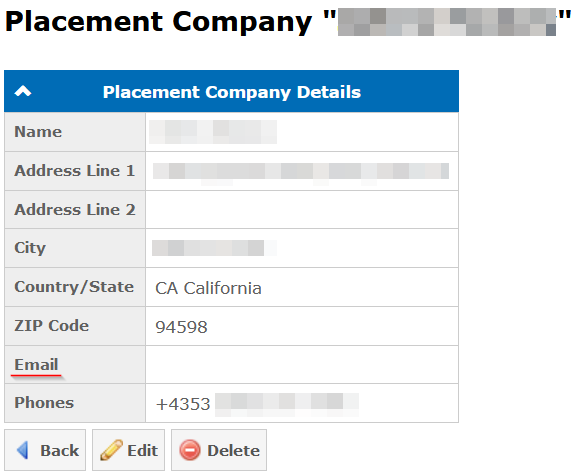
The email is also shown in the company information in the Placement Records report:
Available since 4.54.0 (view release notes).
Was this article helpful?
That’s Great!
Thank you for your feedback
Sorry! We couldn't be helpful
Thank you for your feedback
Feedback sent
We appreciate your effort and will try to fix the article