Locations:
- Leads & Students → Student "Name": Lead Details
- Leads & Students → Student "Name" → Student Folders
Users with the following permissions:
- Leads & Students → Edit
Case:
Students need to re-sign the W-9S form when their personal information changes.
Problem:
The form can be set only manually.
Solution:
Added the automatic sending of the W-9S form to students for signing. All other unsigned forms are canceled.
The form is sent if the following student’s data changes:
- Name of student (LastName, FirstName, MiddleName)
- SSN (Taxpayer identification number)
- Address
- City
- Stage
- ZIP
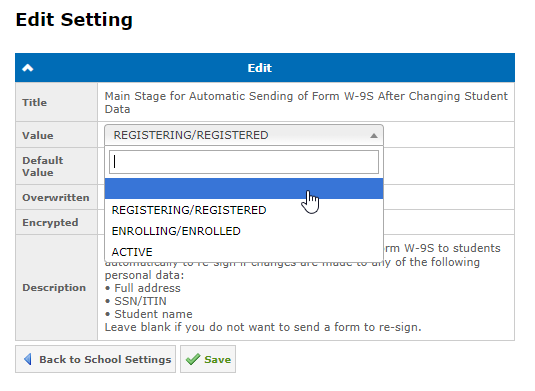
The form will be sent to students whose stage starts from the one defined in the Main Stage for Automatic Sending of Form W-9S After Changing Student Data setting in the School Settings. If no stage is defined, the form will not be sent automatically.
Available since 4.57.0 (view release notes).
Was this article helpful?
That’s Great!
Thank you for your feedback
Sorry! We couldn't be helpful
Thank you for your feedback
Feedback sent
We appreciate your effort and will try to fix the article